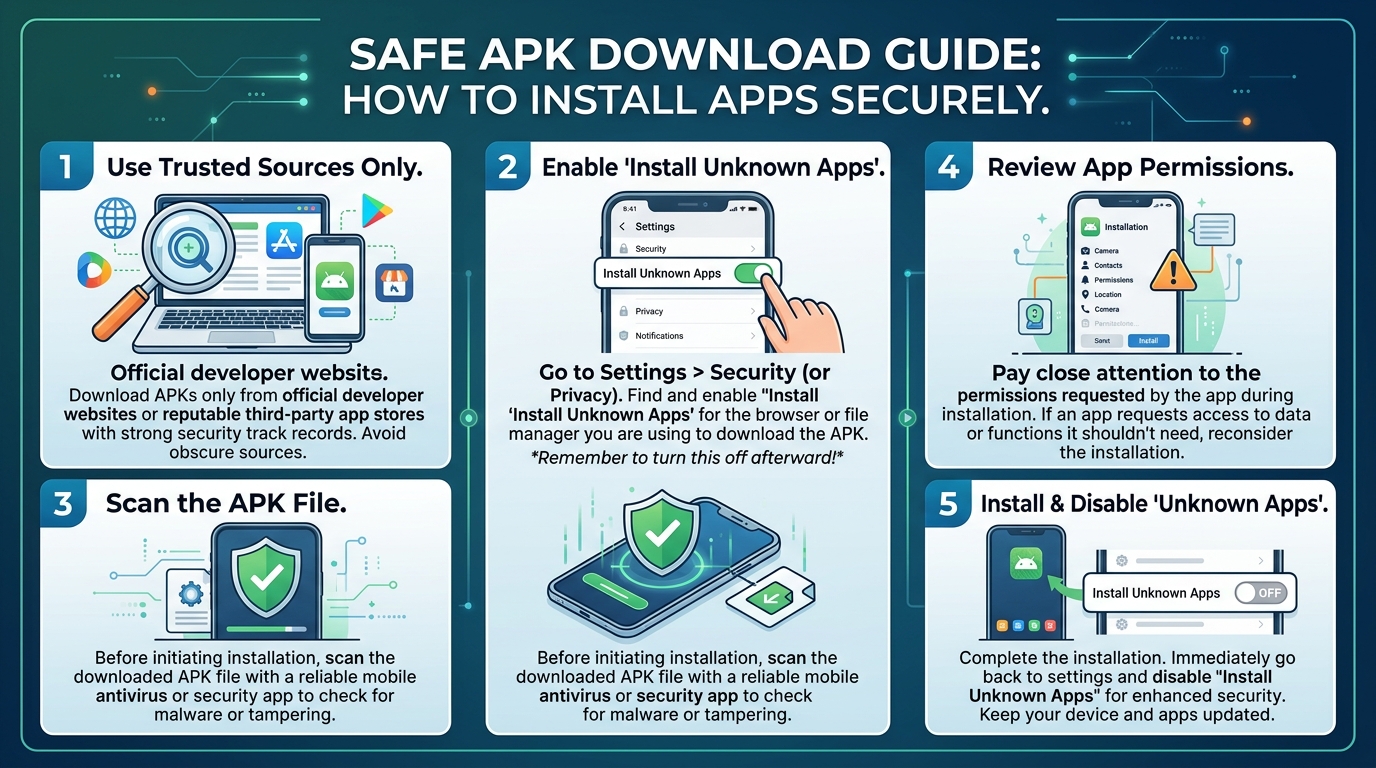

APK files are widely used in the Android ecosystem to install applications manually outside of official app stores. In 2026, APK usage has increased as users look for alternative apps, early releases, and region-restricted software. However, downloading APK files also comes with security risks if proper precautions are not taken. Understanding how to safely install APKs is essential for protecting your device and personal data.
This guide explains how APK files work, how to install them safely, and what users should avoid to reduce security risks.
Understanding What APK Files Are
APK stands for Android Package Kit, which is the file format used to distribute and install applications on Android devices. It contains all the elements needed for an app to run properly, including code, resources, and configuration files.
Unlike apps downloaded from official stores, APK files are installed manually. This gives users more flexibility but also increases the responsibility of ensuring the file is safe and trustworthy.
Risks of Downloading APK Files from Untrusted Sources
One of the biggest risks of APK files is downloading them from unsafe or unknown websites. Such files may contain malware, spyware, or modified code that can harm your device or steal personal information.
Untrusted APKs can also lead to performance issues, data leaks, or unauthorized access to your device. This is why verifying the source before downloading is extremely important.
How to Download APK Files Safely
To download APK files safely, users should always rely on trusted and well-known websites. Official developer pages or reputable app repositories are generally safer options.
It is also recommended to check user reviews, file authenticity, and version details before downloading. These steps help ensure that the file has not been altered or compromised.
Safe Installation Practices on Android Devices
Before installing an APK file, users should enable installation from unknown sources only temporarily and disable it afterward. This reduces the risk of accidental installations from unsafe files.
It is also important to scan APK files using security tools or antivirus software before installation. This adds an extra layer of protection against harmful content.
Keeping Your Device Secure After Installation
After installing APK files, users should regularly monitor app behavior and device performance. Any unusual activity such as battery drain, slow performance, or unknown permissions should be investigated.
Keeping your device updated with the latest security patches also helps protect against vulnerabilities that may be exploited by malicious apps.
FAQ’s
What is an APK file
An APK file is an Android application package used to install apps manually on Android devices.
Is it safe to install APK files
It is safe only if downloaded from trusted and verified sources.
What are the risks of APK files
Risks include malware, data theft, and device performance issues.
How can I check if an APK is safe
You can check trusted sources, user reviews, and scan the file with antivirus software.
Should I keep unknown sources enabled all the time
No, it should only be enabled during installation and disabled afterward for safety.
Conclusion
APK files offer flexibility for Android users, but they also come with security risks if not handled carefully. By downloading from trusted sources, verifying files, and following safe installation practices, users can reduce risks and protect their devices. Safe usage ensures that APK installation remains a useful and secure option in 2026.