
Most phones carry dozens of apps, yet only a handful genuinely earn their place on the home screen. The best Android apps share a few traits: they solve a real daily problem, they respect your time and privacy, and they keep working smoothly month after month. Instead of chasing every trending download, build a small, reliable toolkit. This guide highlights the categories worth your attention and how to choose quality in each one.
Everyday Utilities You Will Actually Use
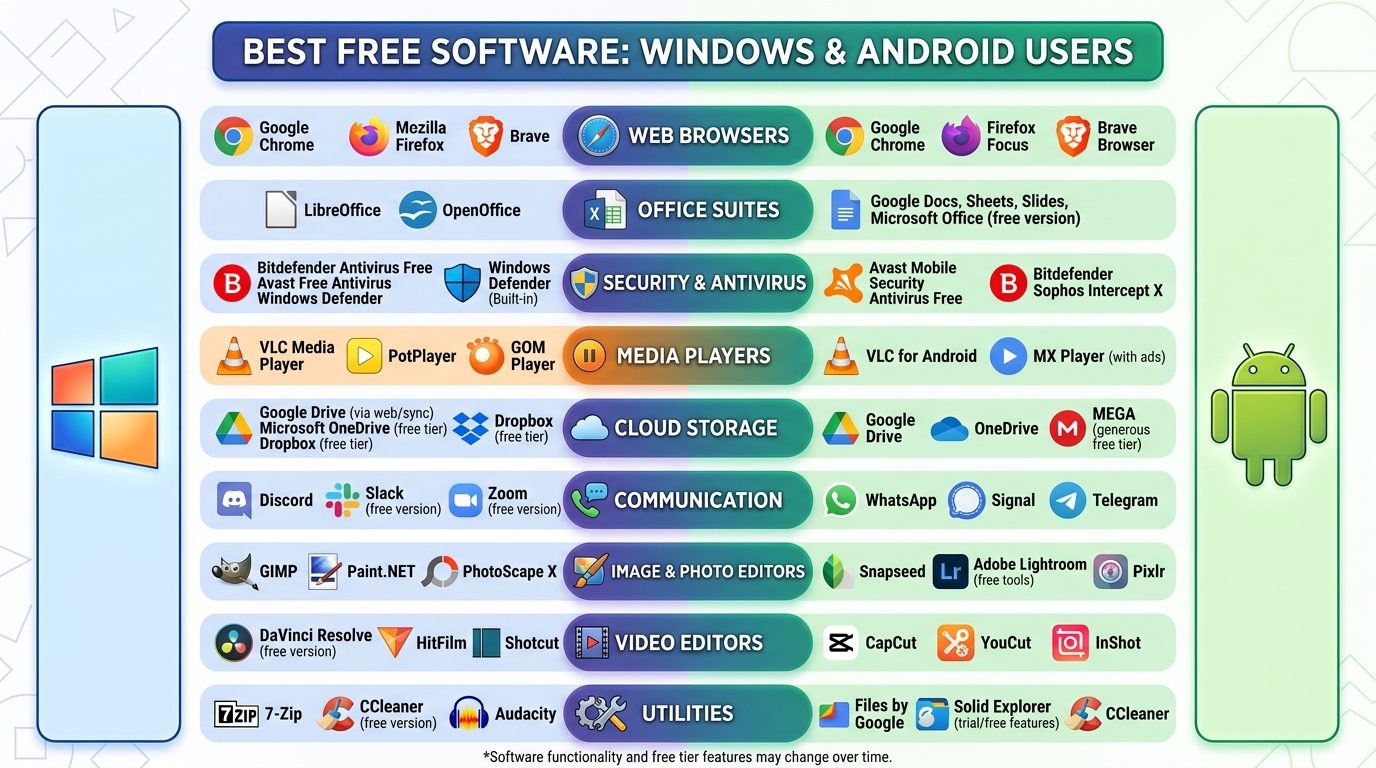
Start with the unglamorous essentials. A dependable file manager, a fast scanner app for documents, and a good offline notes app quietly save you time every week. Add a password manager and an authenticator app, and your digital life becomes both easier and far more secure. These are the best Android apps in the truest sense: boring, dependable, and used daily.
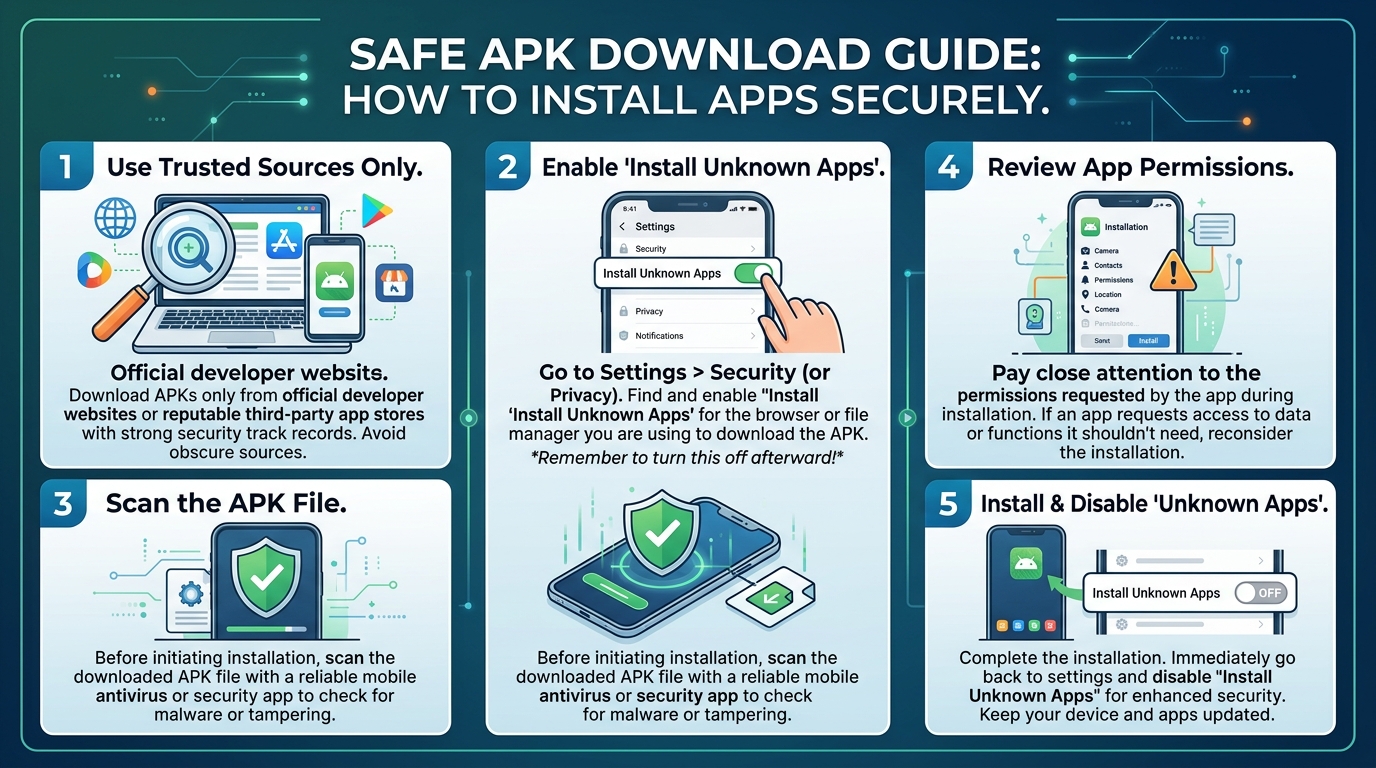
When installing utilities, download only from trusted sources and check the permissions each app requests. A flashlight app asking for your contacts is a red flag. Reading recent reviews also helps, because once-great apps sometimes decline after ownership changes or aggressive monetization updates.
One more habit separates tidy phones from chaotic ones: the home screen audit. Everything on your first screen should be something you open daily, and everything else can live in the app drawer where it stops competing for your attention. Widgets earn their space only when they show information you genuinely check, like the weather, your calendar, or a train time. Treat your home screen like a desk, not a storage unit. A clear desk invites work; a cluttered one quietly discourages it. Most people are surprised how much calmer their phone feels after ten minutes of this rearranging, and the effect lasts far longer than the effort.
Productivity and Work Apps
For work, prioritize a task manager with quick capture, a calendar that handles reminders intelligently, and a cloud storage app with reliable sync. Email clients that batch notifications instead of interrupting you constantly will noticeably calm your day. The goal is a phone that surfaces what matters and stays silent about the rest.
Students and professionals alike benefit from a dedicated reading app for saving articles offline. Your commute or waiting time becomes learning time, and your browser tabs finally get some rest. Small upgrades like these compound into a noticeably smoother routine.
Travel is another area where the right app changes everything. Offline maps save you when signal disappears abroad, translation apps photograph a menu and render it readable, and currency converters prevent expensive misunderstandings at market stalls. Download what you need before leaving home, including offline language packs and maps of your destination city, because airport Wi-Fi is a poor place to discover what you forgot. A small folder of travel essentials, prepared once and updated before each trip, turns the stressful parts of a journey into minor administrative moments. Add your airline and hotel apps to the same folder so boarding passes, bookings, and check-in reminders live together instead of scattering across your inbox when you need them most.
Entertainment and Gaming Apps
Entertainment is where app quality varies the most, so settings matter. Gamers, for example, can get far more from their devices by following a practical look at display settings for gaming apps, which shows how brightness, refresh, and resolution choices affect both visuals and battery life. A few minutes of tuning beats buying a new phone.
Spending awareness matters here too. This entertainment budget review for busy adults is a good reminder that in-app purchases and subscriptions quietly add up, and the best Android apps are the ones whose costs you understand before you commit. Set spending limits in your store account if willpower needs backup.
Photo, Video, and Creativity Tools
Modern phones shoot excellent photos, and a capable editor unlocks their full potential. Look for editors with non-destructive editing, sensible presets, and easy export at full resolution. For video, simple timeline editors now handle trimming, captions, and music without a computer, which is why so many creators publish entirely from their phones.
If you create content regularly, organize your projects with consistent folders and back them up to cloud storage. Losing a month of edited videos to a broken phone is a lesson nobody wants to learn firsthand.
Health, Learning, and Everyday Growth Apps
Some of the most valuable apps support the life you want rather than the work you have. Fitness trackers turn vague intentions into visible streaks, meditation apps make a daily ten minutes of calm easy to keep, and language apps convert dead time in queues and buses into genuine progress. The key is choosing one app per goal. Three fitness apps competing for your attention will all be abandoned; one, used daily, becomes part of who you are.
Learning apps deserve special mention because their value compounds quietly. Fifteen minutes a day with a well-designed course app adds up to more than ninety hours a year, enough to reach conversational ability in a language or build a real foundation in a new skill. Pair the app with a fixed daily moment, such as breakfast or the commute, and the habit largely runs itself. Technology rarely gets credit for patience, but these are the apps that reward it most.
How to Keep Your App Collection Healthy
Every few months, audit your installed apps. Delete anything you have not opened recently, review the permissions of what remains, and update everything to the latest version for security fixes and new features. Turn off notifications for apps that do not deserve to interrupt you, because attention is the scarcest resource your phone manages.
Choosing the best Android apps is less about finding hidden gems and more about curating ruthlessly. A short list of well-maintained apps that fit your actual life will always beat a crowded drawer of forgotten downloads. Install slowly, review regularly, and let each app prove it deserves to stay.
Above all, give every new installation a trial period. If an app has not genuinely helped you within two weeks, it probably never will, and deleting it is a decision, not a failure. Your phone should feel like a well-organized toolbox, not a crowded attic.