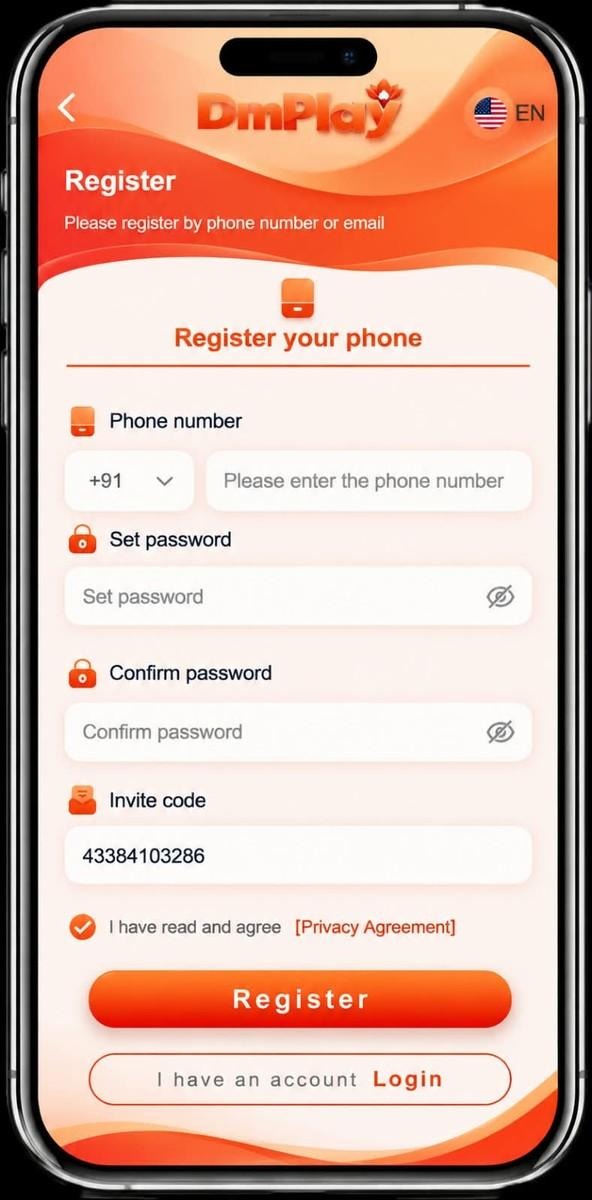

Your account is your home on the platform, and dmplay register makes creating one quick and painless. You do not need to be good with technology. A few basic details and a password are all it takes, and the whole process fits into a few minutes. This guide walks you through it step by step, in plain words, so you can register with confidence even if this is your first account on any gaming site. By the end, you will be signed in and ready to play.
What You Need Before You Register
Before you open the form, keep two things ready: a mobile number or email address that you use every day, and a password you can remember. The mobile number or email matters because the site may use it to confirm your account or to help you get back in if you forget your password. Choose a password that mixes letters and numbers and is not easy to guess. Avoid using only your name or your birth date. Also make sure your internet connection is steady, because a weak connection can interrupt the form halfway. A minute of preparation saves several minutes of frustration later.
Filling in the Form Step by Step
Open the registration page and fill in the fields one by one. Enter your mobile number or email address first, then choose a username if the form asks for one. Pick a username that is simple and easy to remember, because you may need it every time you sign in. Then type your password, and type it again if the form asks for confirmation. Check that both entries match exactly. Read each field once more before you press the register button. Small mistakes, like a wrong digit in a mobile number, are the most common reason accounts fail to verify, so this quick review is worth the few seconds it takes.
Confirming Your New Account
After you submit the form, the site may ask you to confirm your account. This usually means entering a code sent to your mobile number or email address. Open the message, copy the code carefully, and enter it on the page. Codes often expire after a few minutes, so do not wait too long. If the code does not arrive, check your spam folder for emails, or ask for the code to be sent again. Once the code is accepted, your account is active. Confirmation protects you, because it proves the account belongs to you and nobody else can claim it with your details.
Your First Sign-In After Registering
Once your account is active, sign in with the details you just created. Take a moment to look around your account before you start playing. Check that your profile details are correct and see where your balance, your games, and your settings live. If the site lets you set a display name or a profile picture, choose something simple. Look through the settings and turn on any security option that is available. Spending five minutes exploring now means you will not have to search for things later when you would rather be playing.
If Registration Does Not Work
Sometimes registration fails on the first try, and most problems have simple fixes. If the page says your mobile number is already registered, you may have an account already, so try the login page instead. If the password is rejected, it is usually too short or too simple, so make it longer and add a number. If the code never arrives, check that you typed your number or email correctly, then request a new code. If the page keeps loading, refresh it once and try again on a stable connection. Stay calm and work through these fixes one by one, and your account will be ready soon.
Choosing the Right Contact Details
The contact details you give at registration stay with your account for a long time, so choose them well. Use a mobile number or email address that you check every day and plan to keep. Avoid using a number you might change soon or an email you rarely open. If you change your number later, update the account the same day, so password resets and codes always reach you. Your contact details are your lifeline back into the account, and keeping them current is one of the simplest ways to protect yourself from being locked out.
Registering is a small job with a big reward. Keep your details ready, fill the form carefully, confirm your account, and explore your profile once. After that, signing in and playing becomes the easy part, and the platform feels like home from your very first day.